

Send Feedback
Your feedback helps us improve Jujukraft. Use the in-app feedback option to report bugs, suggest features, or share your experience.
Where to Find the Feedback Option
Section titled “Where to Find the Feedback Option”You can open the feedback form in two places:
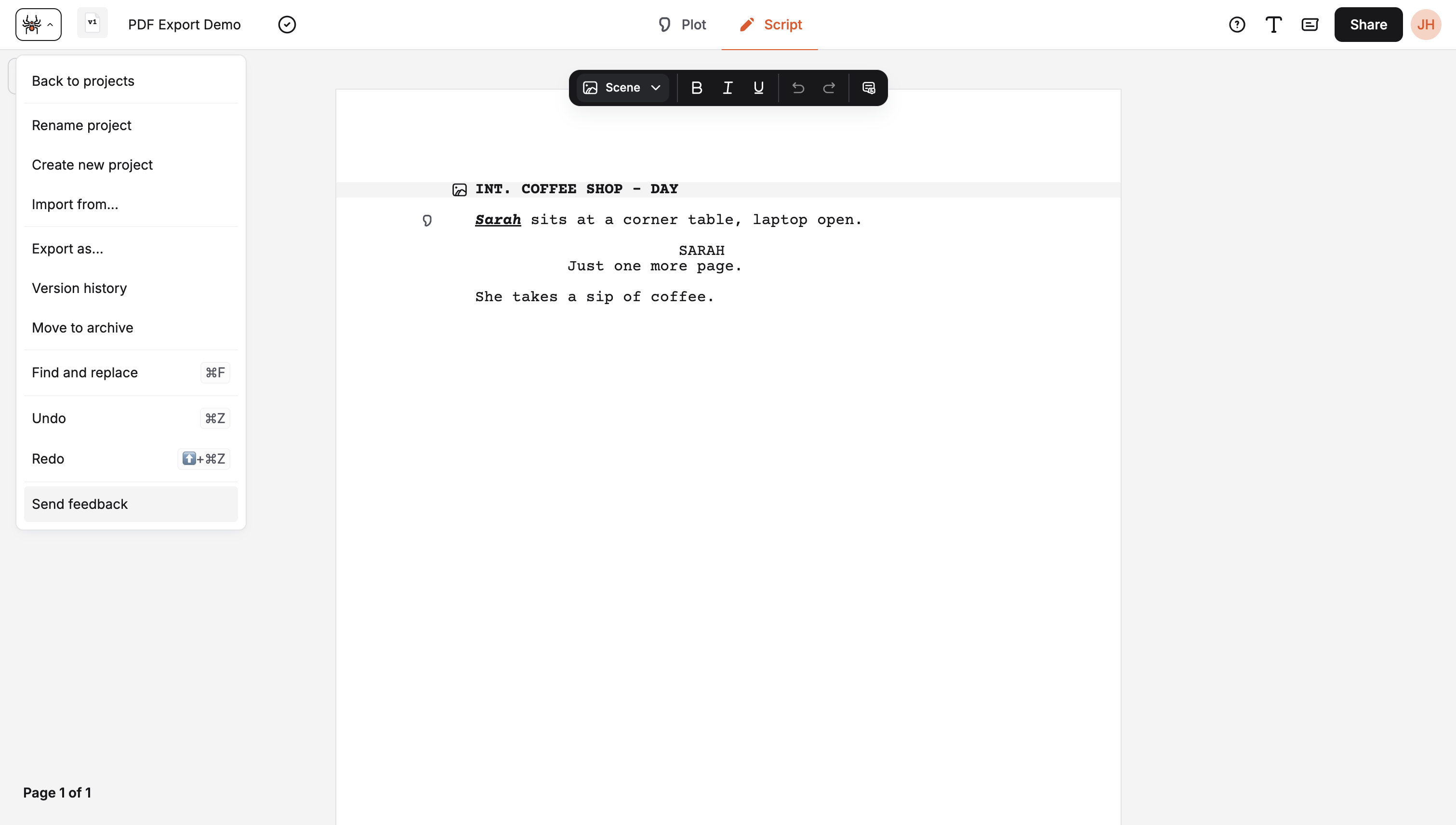
Inside a project
Section titled “Inside a project”Open the menu (the icon next to the project name in the top bar — tooltip “Open menu”). In the menu, choose Send feedback.
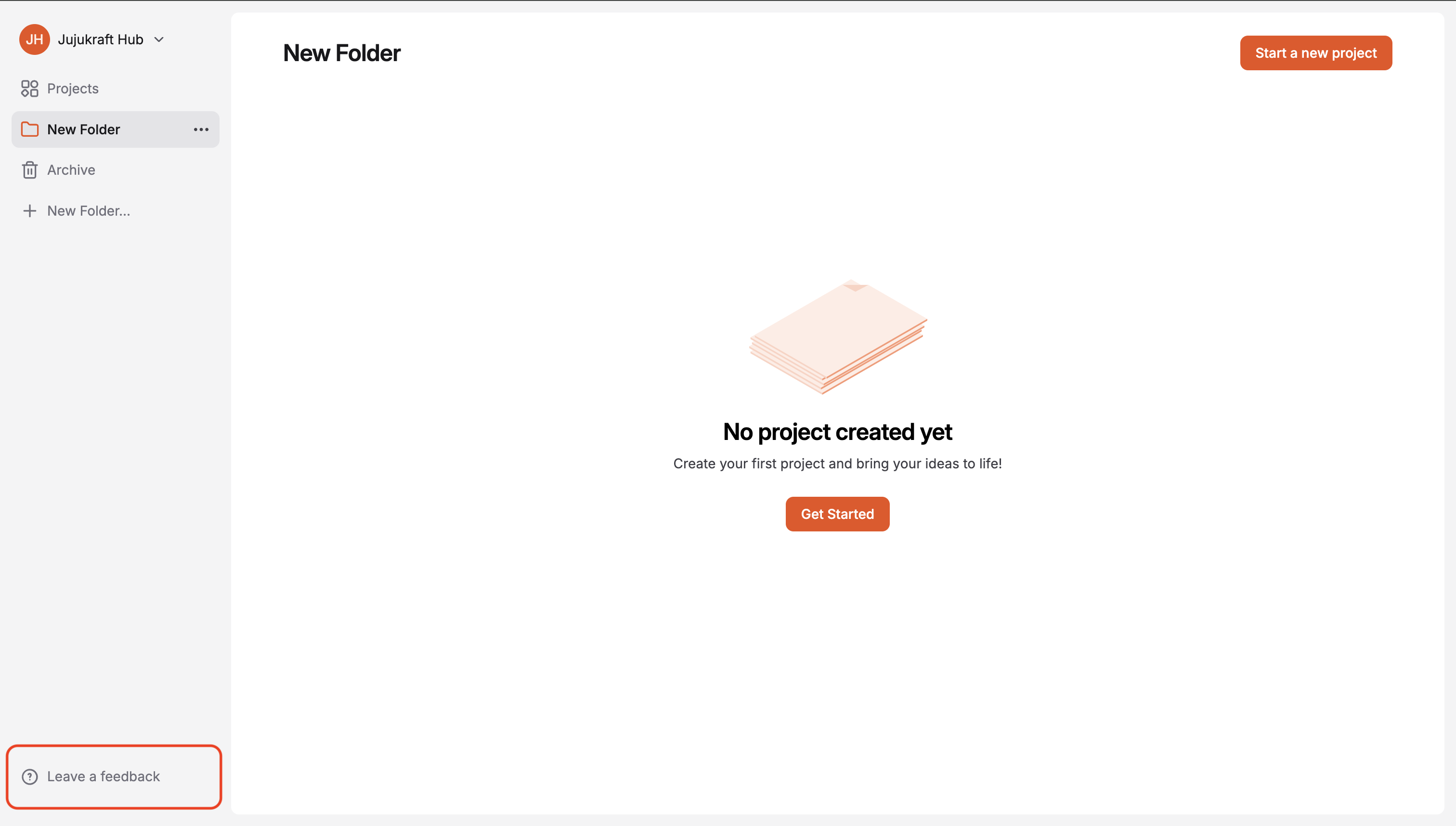
On the projects page
Section titled “On the projects page”In the left sidebar, click Leave a feedback at the bottom.
The Feedback Modal
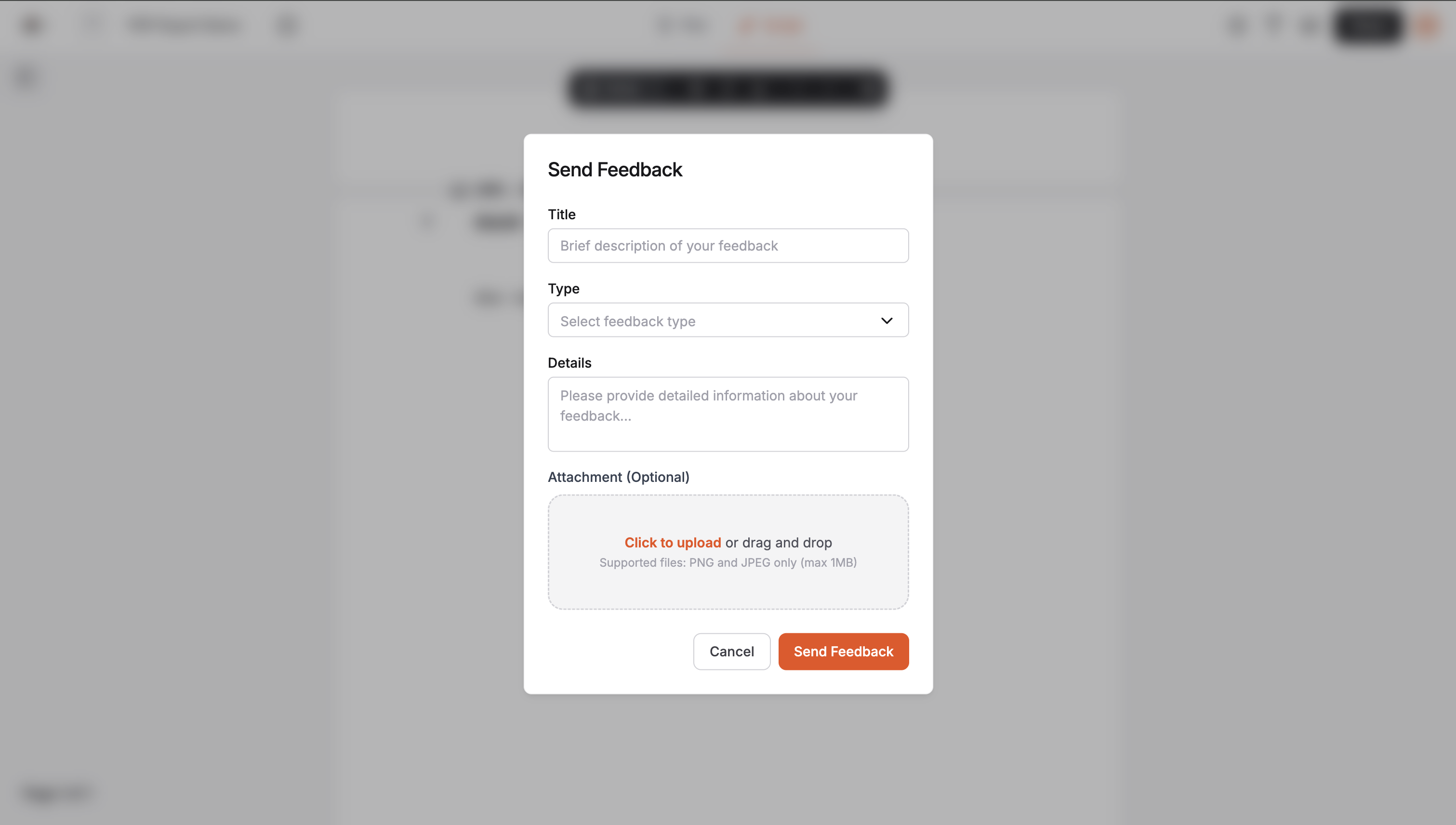
Section titled “The Feedback Modal”After you click the feedback option, a modal opens with:
- Title — Brief description of your feedback
- Type — Select a feedback type (e.g. bug, feature, general)
- Details — Describe your feedback in full
- Attachment (optional) — Upload a screenshot (PNG or JPEG, max 1MB)
Click Send Feedback to submit, or Cancel to close without sending.
What to Include
Section titled “What to Include”- Bugs: What you did, what you expected, and what actually happened. Browser and device help too.
- Features: What you’re trying to do and how you’d like Jujukraft to support it.
- General feedback: Anything you liked or found confusing. It all helps.
Other Ways to Reach Us
Section titled “Other Ways to Reach Us”- Email: support@jujukraft.com for account or billing questions.
- FAQ: Check the FAQ for answers to common questions.