

Import Scripts
Bring your existing script into Jujukraft so you can pick up where you left off. You can import from Final Draft (.fdx), PDF (.pdf), and Fountain (.fountain) files.
Note: Max file size is 5MB.
How to Import
Section titled “How to Import”Step 1: Open the import dialog
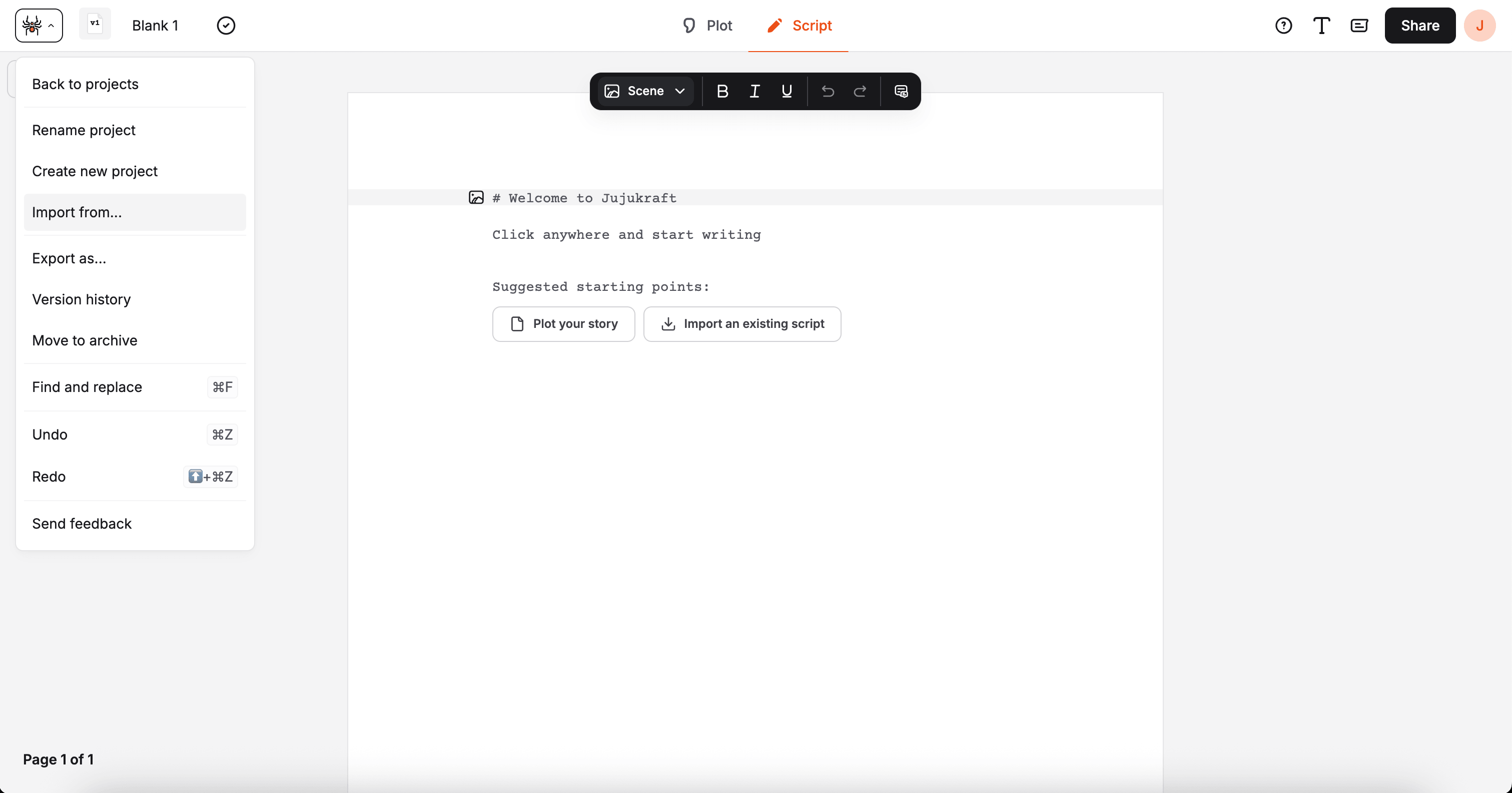
Section titled “Step 1: Open the import dialog”From the script editor, open the spider menu in the top bar and choose Import screenplay.
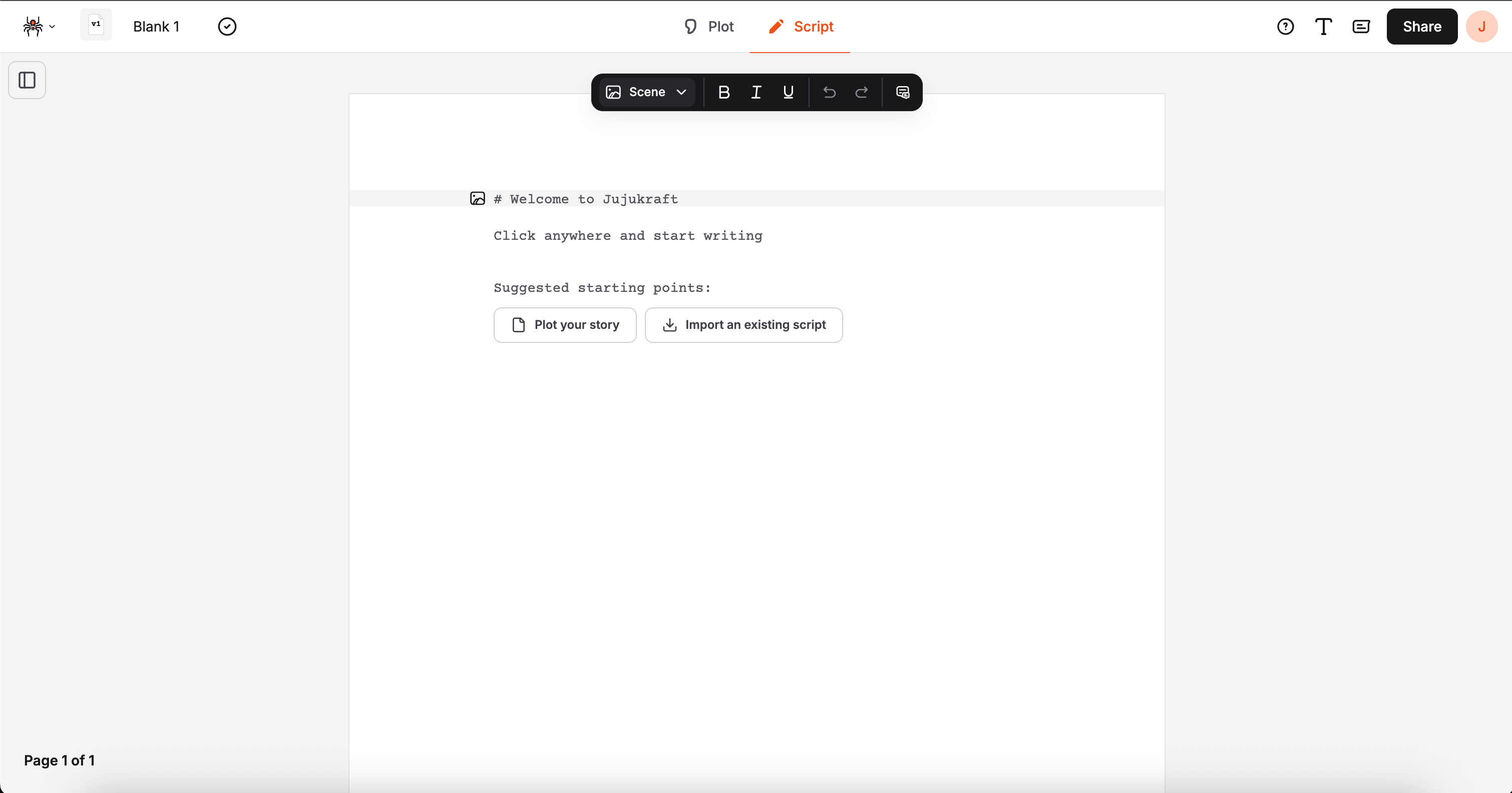
Step 2: Upload your file
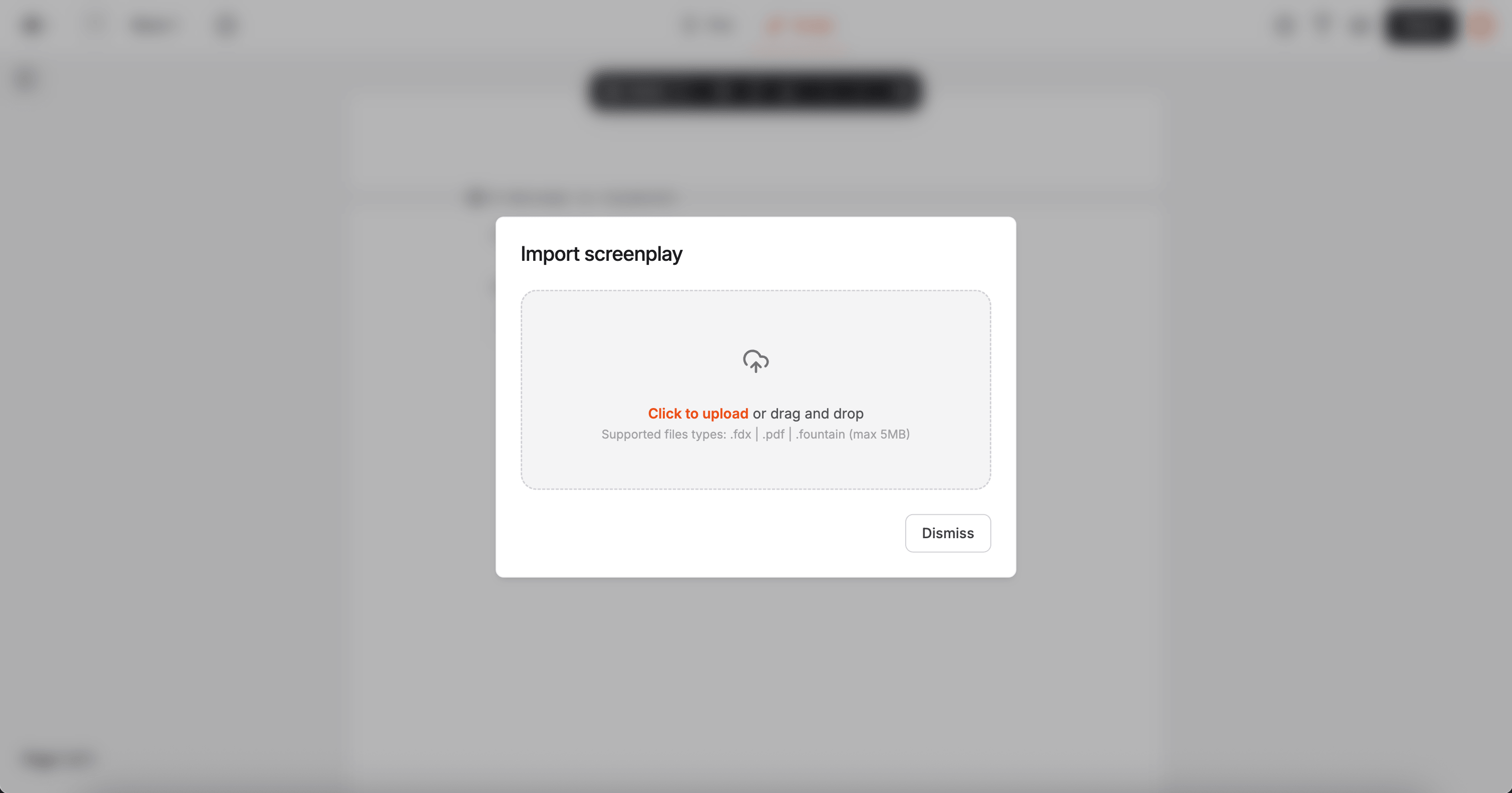
Section titled “Step 2: Upload your file”Drag your file onto the upload area, or click it to pick a file from your device. Import starts as soon as the file is selected.
Step 3: Wait a moment
Section titled “Step 3: Wait a moment”Jujukraft processes the file and brings your script into the editor. You’ll see a progress bar while it works.
When it’s done, the dialog closes and you’ll see a confirmation message.
What to Expect After Import
Section titled “What to Expect After Import”- Your script opens as a new version in the editor
- All previous versions are still in your version history
- You can keep writing, or export to PDF or FDX right away
Supported Formats
Section titled “Supported Formats”- Final Draft (.fdx) — elements, formatting, and dual dialogue are carried over
- Fountain (.fountain) — standard Fountain syntax is converted to script elements
- PDF (.pdf) — Jujukraft reads the PDF and maps the content to script elements as best it can
Troubleshooting
Section titled “Troubleshooting”“File format not supported”
Only .fdx, .pdf, and .fountain files are accepted. Re-export from your original app and try again.
“File size too large”
The file must be under 5MB. Try exporting at a lower quality, or split the script and import in parts.
Import doesn’t complete
Refresh the page and try again. If the issue persists, re-download the file from your original app first.
Formatting looks off after import
Use the Element Menu to fix any elements that didn’t come through correctly.
Next Steps
Section titled “Next Steps”- Learn about Elements
- Explore Export Options
- Master Keyboard Shortcuts